EVV / CareChamp - Employee Forgets to Clock Out
Manual Visit Completion
Use this process if the visit is not clocked out and still shows “In Progress.”
See the Best Practice section later in this article for App Visits.
IMPORTANT - The Finish button may not be active until 2 days after the scheduled date.
- The delay will give the visit time to sync to the office.
- Each agency can set their own number of days enable the Finish button.
Steps:
- In Barnestorm Office, go to EVV Visits.
- Select the visit showing In Progress.
- Click Finish to mark the visit as complete.
- If needed, click Edit to adjust visit times or complete any missing tasks.
- Verify accuracy and Update Visit.
Best Practice for Care Champ
- Visits will auto-complete if the next visit occurs within 1 - 3 days of the previous in-progress visit.
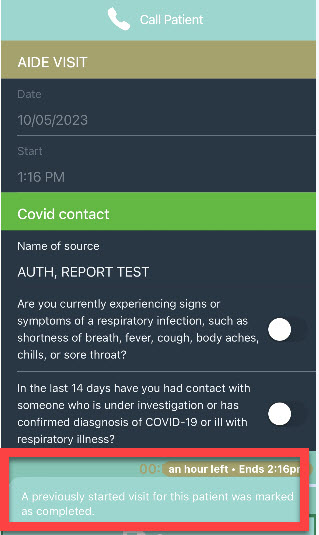
- When auto-completion happens, the aide will see a pop-up confirming the previous visit was marked complete.
- The message disappears automatically — no action required from the aide.
If Visit Shows Completed in the App but Not in Office
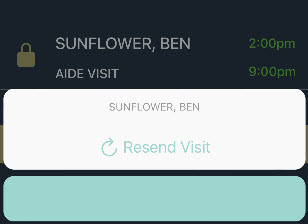
- Have the aide open the visit in Care Champ and tap Resend.
- This will send the visit to Barnestorm Office and display it on the EVV Visits screen.
- Sync may take up to 1 hour during office hours or until the next day if after hours.
- Low cellular signal can delay syncing.