Barnestorm Office uses pop-up notifications to share time-sensitive information, including:
- Important software updates
- Billing or regulatory changes
- Upcoming Barnestorm office closures
- Other important reminders
An internet connection is required to receive notifications.
Open a Notification
A notification may appear in the lower-right corner of your screen or near the Barnestorm toolbar. Click the notification to open the complete message in your web browser.
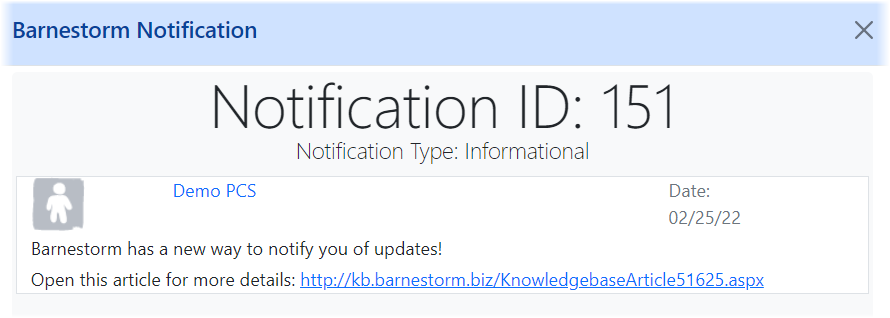
Some messages may include a link to additional instructions or information.
Notification in the lower-right corner:
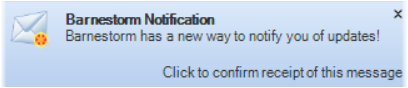
Notification near the Barnestorm toolbar:

Complete message displayed in a web browser:
Enable Notifications
Notifications must be enabled to receive these messages.
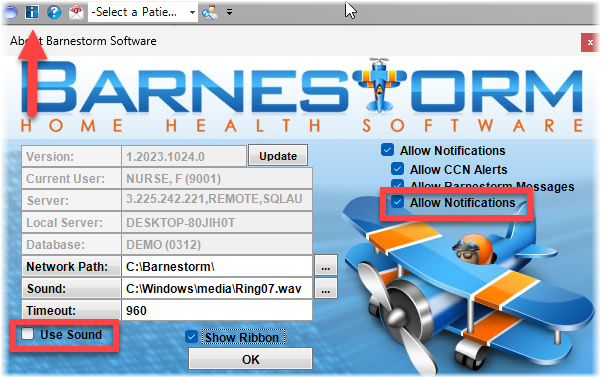
- Click the blue Information (i) icon at the top of the Barnestorm toolbar, or press Ctrl + Alt + V on your keyboard.
- Make sure notifications are enabled.
You can also turn off the notification sound while continuing to receive pop-up messages.